
Saved Conversations
Chats don't have to vanish the second they end. Turn on Saved Conversations and Ruby Relay keeps a copy of each one, so you can reopen it later, re-read what was said, double-check what you promised a customer, or catch up on a conversation a teammate handled while you were away.
Saved Conversations is included on the Growth and Scale plans. It's off by default, opt-in with one toggle, and you can turn it back off any time.
What gets saved
When a conversation ends, we archive a complete snapshot of it. Specifically:
- Every message, with sender and timestamp
- The client's name, email, and any unique ID you passed in
- The workspace and channel the conversation routed to
- Inline images and screenshots customers shared in chat
- Flow handoffs and prompt responses, if Conversation Flows are involved
Snapshots are written when the connection ends, so a single chat shows up in your archive within seconds of the visitor closing the widget. Conversations are retained for 90 days, then automatically deleted.
Turn it on
Open Billing from your portal sidebar, scroll to the Plan section, and flip on Save Conversations. That's the whole setup.
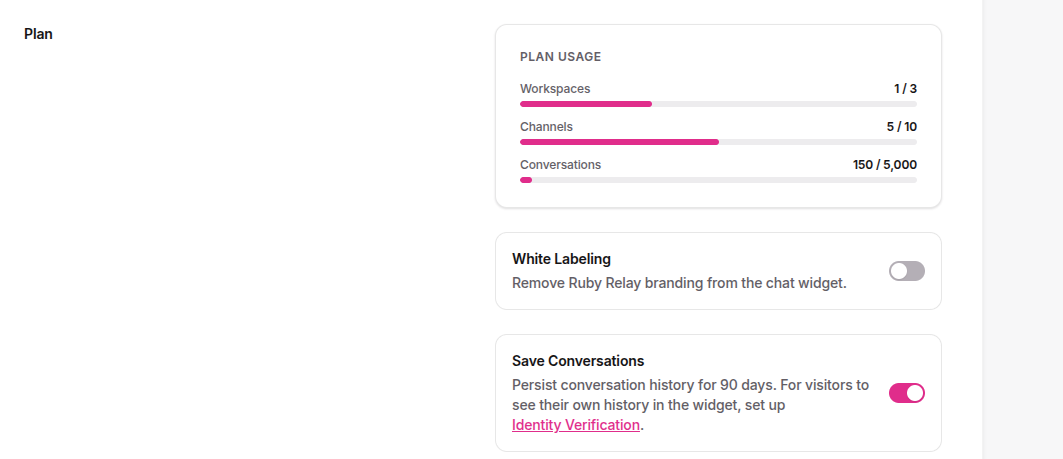
It's an organization-wide setting, so once you enable it, every workspace and channel under your account starts archiving. New conversations are saved from that moment on. Older chats from before you enabled the feature are not retroactively archived, since we weren't holding onto them.
Browse and filter
Open Conversations from the sidebar. Conversations are listed newest first, with the client's name, a preview of the first message, the workspace and channel pills, and the time of the last message.
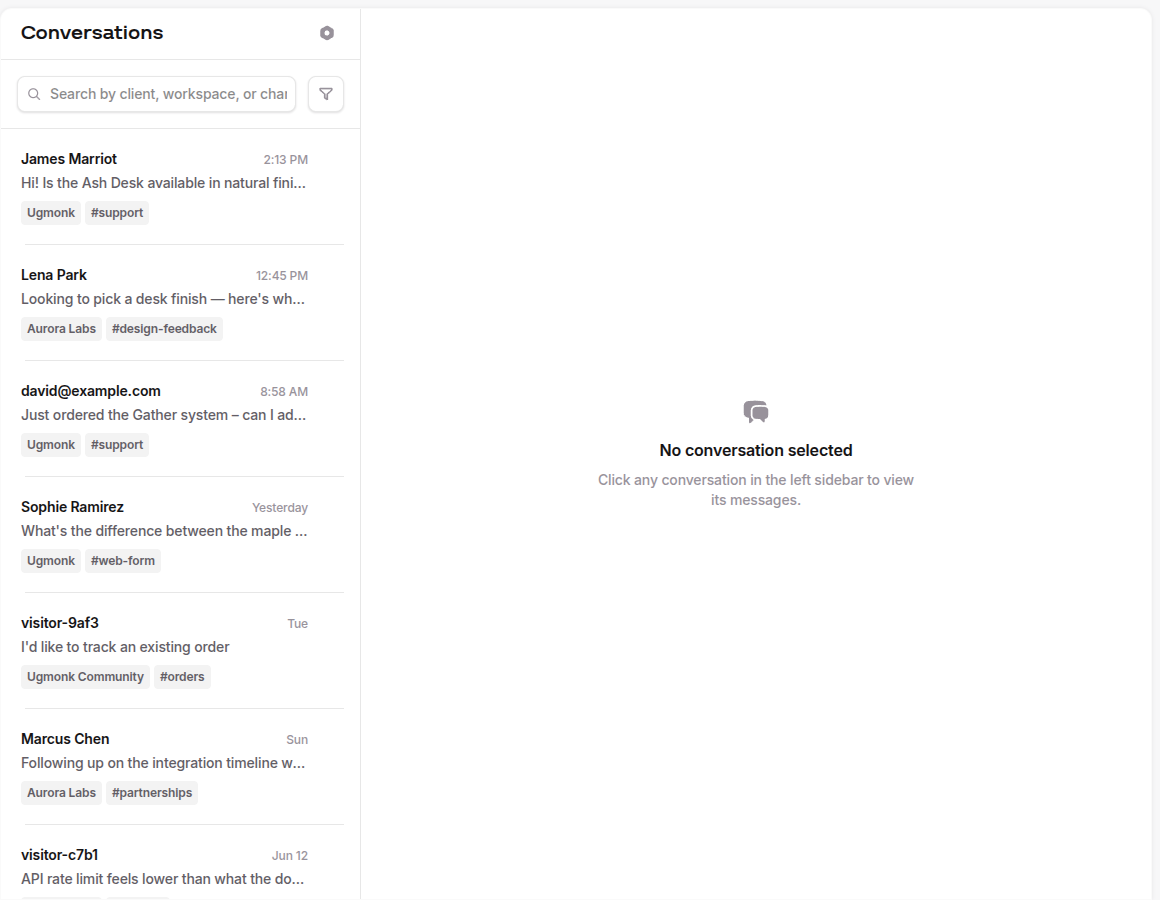
Use the search bar to scan every saved conversation, or click Filter to narrow by:
- Client — pick a specific person from the dropdown
- Workspace — limit to one workspace
- Channel — limit to one channel
- Date — pick a range from the calendar, or click the same date twice for a single day
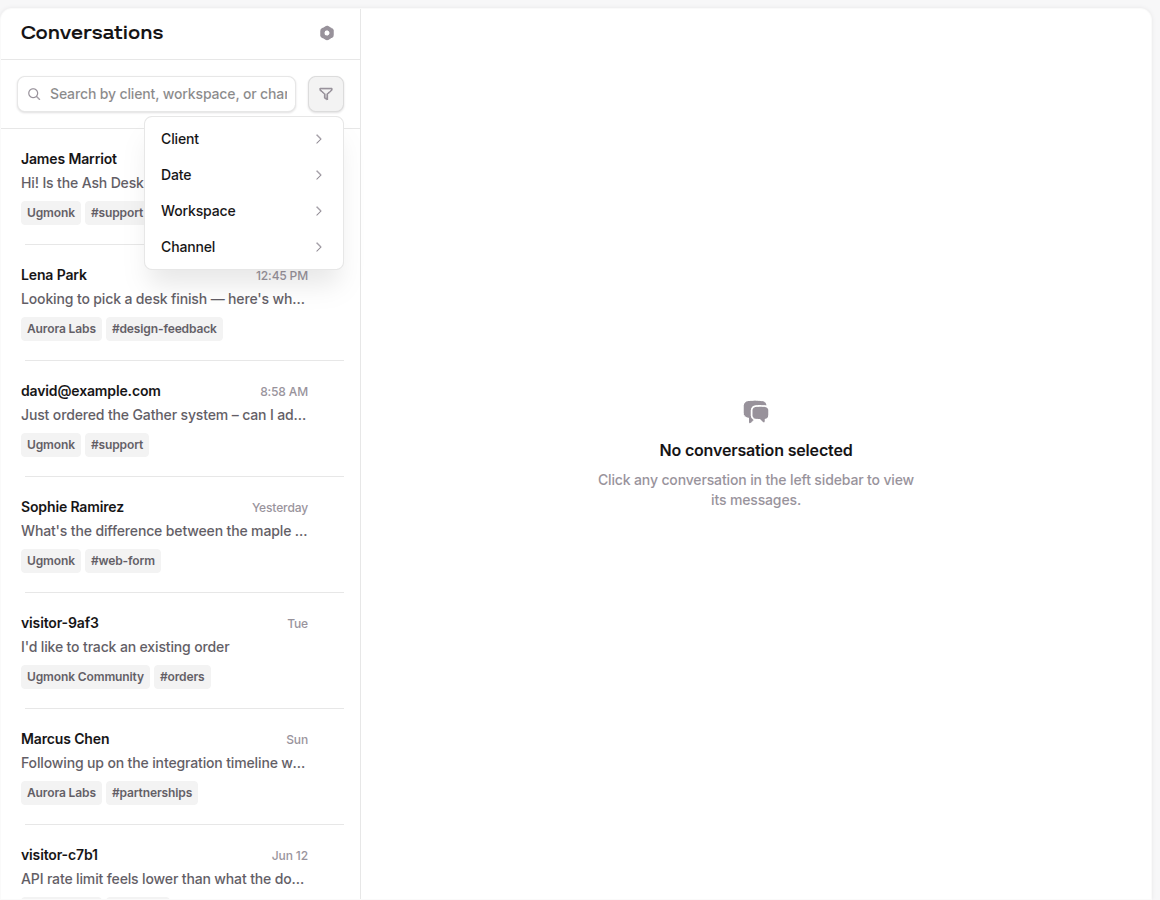
Filters stack, and active filters appear as chips above the list so you can drop them one at a time.
Open a conversation
Click any row to read the full transcript. Messages are grouped by day, bubbles show who said what, and any images customers shared are included.
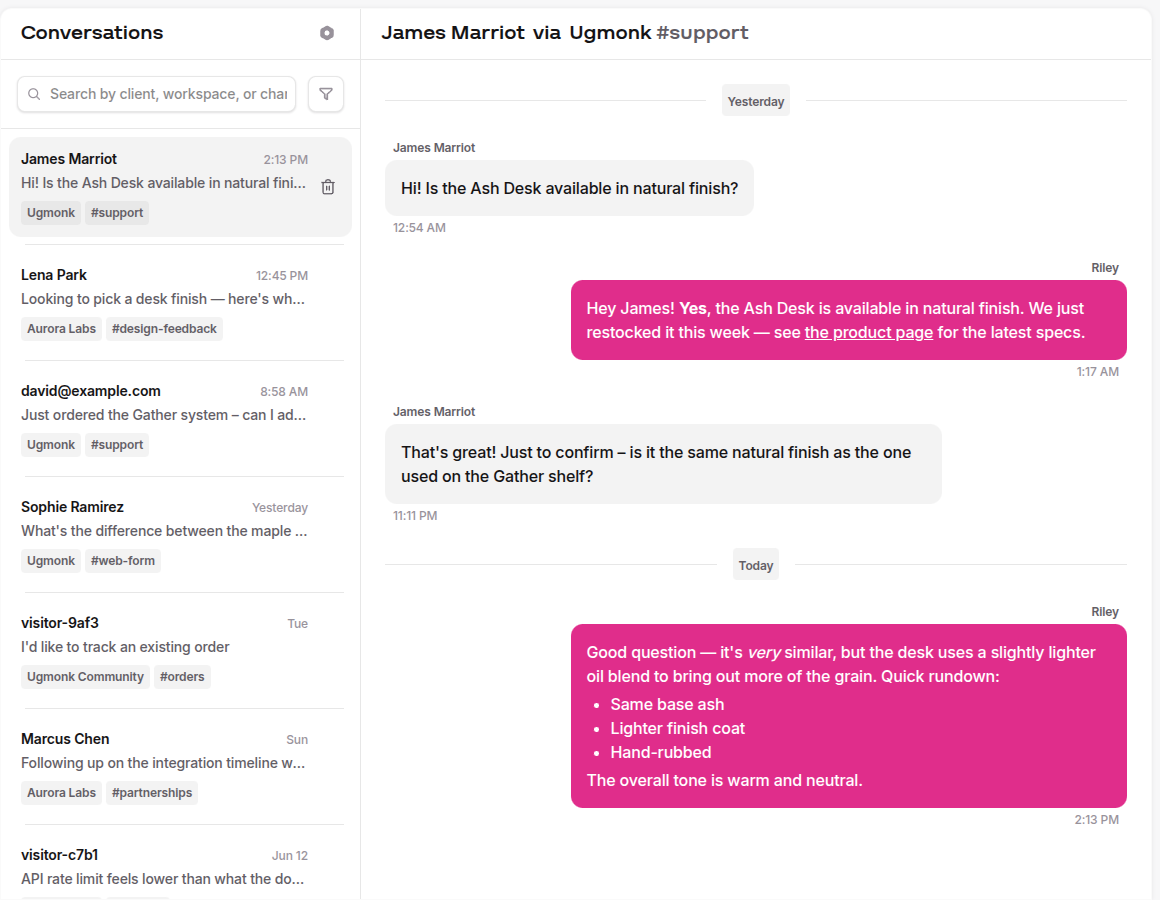
If the conversation went through a Conversation Flow, you'll see the prompt cards inline alongside the customer's responses. Same for handoffs from a flow to a human. The detail view is meant to be the whole picture of what that customer experienced, not just their typed messages.
Ongoing Conversations mode
By default a chat closes after 90 minutes of inactivity. If you'd rather a conversation stay open until you explicitly resolve it, so a customer can come back hours or days later and pick up the same thread, turn on Ongoing Conversations. It's an optional mode layered on top of Saved Conversations, available on the same Growth and Scale plans, and it adds Slack shortcuts for resolving and tracking open chats. See Ongoing Conversations for the full rundown.
Delete a conversation
On desktop, hover any row in the list and a trash icon appears at the right edge. On mobile, swipe the row to reveal a delete action. Either one removes the archive permanently, including stored images.
Want to stop saving altogether? Flip Save Conversations off in Billing. New chats stop being archived immediately. Existing entries stay readable until either you delete them yourself or they age past the 90-day retention window.
Plan limits
Saved Conversations is included in your plan's regular monthly conversation allowance. There's no separate quota and nothing extra to track. The numbers on the pricing page are what you have to work with:
- Growth — up to 5,000 conversations per month
- Scale — unlimited
We send a Slack alert when you hit 90% of your monthly cap so nothing sneaks up on you. If you do blow past the limit, new conversations stop being archived until the next billing cycle (or until you upgrade, which prorates immediately).
Privacy and snapshots
Saved Conversations are snapshots. We freeze the workspace name, channel name, and client metadata at the moment the conversation ends. If you rename a channel or a client updates their email later, the past archive does not change. That's deliberate, the archive is meant to reflect what was true at the time, not the current state of your account.
A few specifics worth knowing:
- Archives live in your private storage. Only members of your organization can list, read, or delete them.
- Returning visitors can load their own past conversations in the widget, but only if your backend verifies their identity first. See Identity Verification.
- Conversations are kept for 90 days from the moment they're archived, then automatically purged. We don't ask, we don't warn, we just clean up.
- Manual deletes are permanent and immediate. The archive, the index entry, and any inline images are wiped together.
Questions about the data we hold? Email support@rubyrelay.com, and we'll sort you out.